

Ads Manager has every number you need about your Meta campaigns, in the layout Meta chose, behind filters you reset each time, with no memory of last week. You can pay a reporting tool a monthly fee to fix that, or build a small app of your own, for free, and decide yourself what goes in the table.
Below is how I connect to Meta's reporting interface and what I pull every week. Meta lets you create an app in its developer portal and give it permission to read your ad account. Your app asks for the numbers, and Meta returns them in plain rows: campaign, date, spend, purchases, purchase value, frequency. You write those rows into a Google Sheet, and from that sheet you build any report you want. The setup is mostly clicking through Meta's permission screens, with no programming.
Setting it up
Go to Meta for Developers, create a new app, and add the Marketing API product to it. Meta grants the app what it calls Limited Access by default. In Meta's words, Limited Access is "heavily rate-limited per ad account" and meant "for development only." For one person reading their own ad accounts once a day, that limit is far away. Source: Marketing API authorization.
Meta's documentation states that reading ads data requires ads_read, and managing ads data requires ads_management. Reports need ads_read. I tick both on my token, and in the Graph API Explorer you can add as many permissions as your app needs.
The token is the key your app shows Meta on every request. The first token you generate in the Graph API Explorer is short-lived: Meta's documentation says default tokens are "short-lived, expiring in hours." You then exchange it for a long-lived one, which "generally lasts about 60 days." Source: Long-lived access tokens. The first time a token expired on me, Claude, running the Monday pull, flagged the authorization error in the same run, and since then I keep the expiry date in my calendar with a reminder a week before; on that day I repeat the exchange step. When a token runs out, every request comes back with an error and the sheet stops updating; there is no other warning.
What I pull, and the column Meta will not give me
Per campaign and per ad set, by day: spend, purchases and purchase value (or leads, for a service business), return on ad spend as Meta counts it, frequency (the average number of times one person saw the ad), and reach and link clicks for context. Anything else I can look up in Ads Manager on the rare day I need it. Most weeks Claude pulls these rows for me through its own connection to Meta; the app and the token above are the same access without an assistant in the middle.
The rows land in a Google Sheet with one tab per client. A short script formats the week and sends it to my Telegram on Monday morning. The sheet also feeds the report I send to the client, so the client and I look at the same numbers.
This is the first screen of a dashboard I send to one client. I changed the store name and all the numbers.
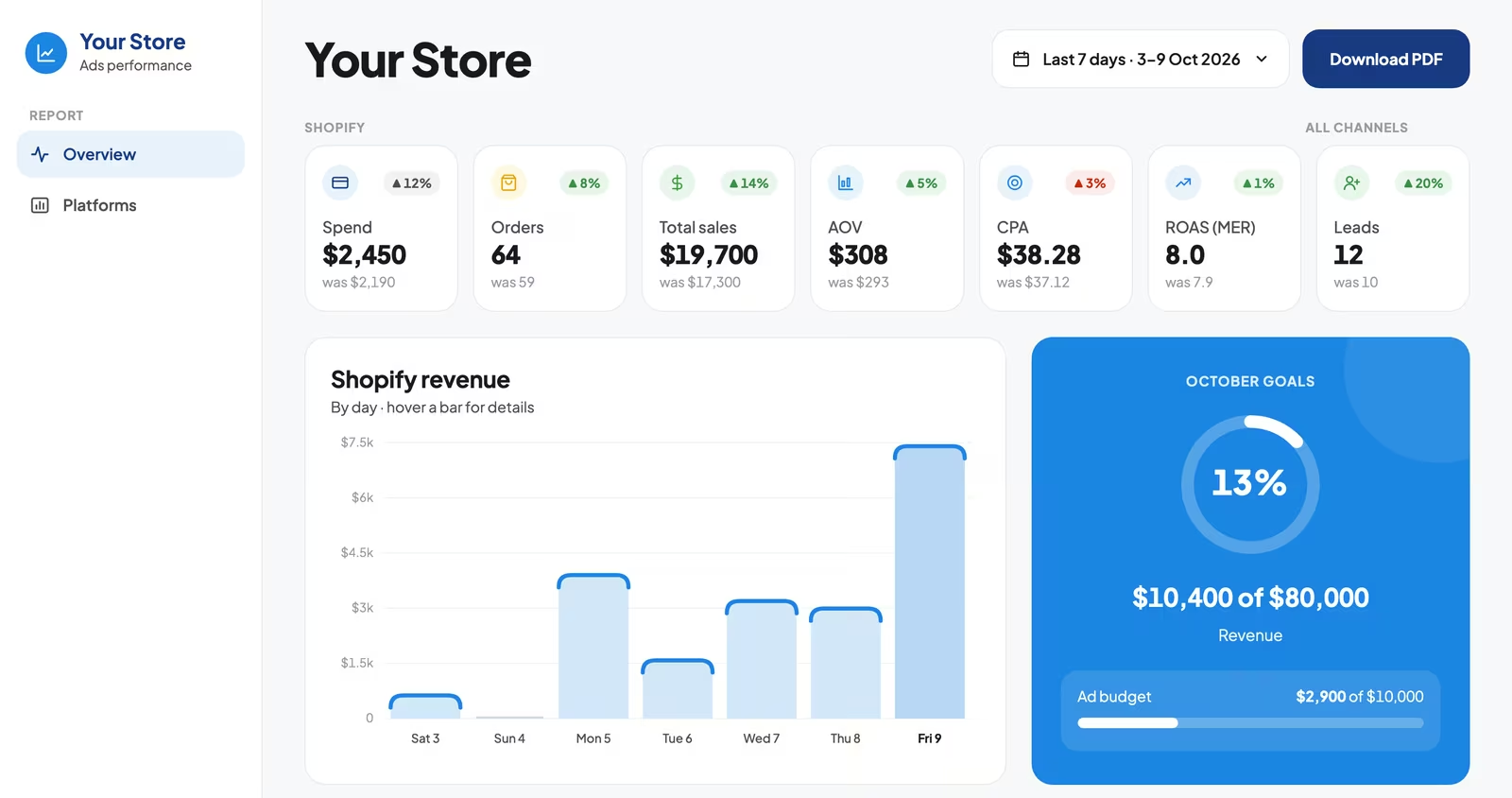
Meta reports the orders Meta attributed to itself, and Google does the same, so adding the two together often gives you more revenue than the store made, because both platforms claim the same order. Next to the platform numbers I keep one more column: the store's real revenue divided by total ad spend across every platform. That ratio tells me whether the ads are working.
If you don't want to build an app
Ads Manager can email you a scheduled report with the columns you choose, so at minimum you get the same numbers in your inbox every Monday. And add-ons for Google Sheets can pull Meta data into a spreadsheet without code, for a subscription. I do everything through Claude's connection or through the token, so I have not needed either, but they get you the same numbers without the setup.
If your Meta results have been sliding for a few weeks, book a consultation and send me your last eight weeks of data before the call.
My tip: I build my own reports to see a change before it turns into a bad month, and never for the look of a dashboard. Ads Manager shows the same numbers, but only if you know where to look. My report shows the same six numbers in one row each week, and I compare this week with the last one.